Your kitchenIn Stacky7 bottles from your shelf, names first. Point at a back label for its amount, or don’t.
From your kitchen to your stack.Illustration
A record of your day
A place for the everyday.
Choose your schedule and reminders. Log what you take, see the days you recorded, and keep an eye on what is running low.
Creating or copying a stack on the web does not start a daily routine. Tracking begins when you choose it.
Stacky around iOS
Mostly, you never open it.
The widget lists what is left and takes the tick itself. The Dynamic Island says what is due while a block is running. Reminders arrive at your times and name the bottles, with what is left in each.
Supply watches the amounts you recorded and says which bottle runs out first.
Ask, and read the source
Ask about your stack. Open the document.
Ask Stacky sits on the bottle and on your shelf: what you take, when, and what a named source says about it. Reference values come from EFSA and the NIH Office of Dietary Supplements, with the document beside the figure.
It observes what you recorded. It does not prescribe, score or diagnose — and the same Library is public in your browser.
Every stack starts private. When you want to show one, you choose whether it is a link or a public page, review it first, and send a page that opens in any browser — no app, no account. Your intake history, notes, stock and health data stay in the app. See shared stacks →
Stacky Premium
Three turns are free. Premium stops counting.
Ask without counting turnsEvery stack gets three conversation turns back each time it changes, free. Premium lifts the count, and usage limits still apply.
Change your routine by saying it“Magnesium at 9pm, 90 in the bottle.” Stacky reads the sentence, asks for whatever is missing, shows you every change it intends to make, and only then makes it.
Every past conversation, keptReopen any thread you have had about your shelf, in the language you were speaking.
Also included: more label and shelf scans a day, and the Diamond card for your Passport.
Billed through the App Store in your local currency; the exact price is shown before you confirm. Renews automatically unless cancelled 24 hours before the period ends. Cancel in Settings → Apple ID → Subscriptions. Full terms.
Free: the whole shelfFree: widgets & remindersFree: supply & sharingFree: the analysisFree: what Stacky noticesFree: export & erase
No. You can explore public stacks and the Library without signing in. Create a draft in your browser, then sign in to save, publish, ask questions or reply. The iPhone app adds scanning and daily tracking.
Is it the same account?
Yes. Use the same sign-in method and email address on web and iPhone. Your stacks and conversations belong to that account. Creating a stack does not automatically set up reminders or log doses.
How do I get the iPhone app?
The beta is available now through TestFlight. Follow the link on your iPhone to join.
What do other people see?
Only what you deliberately publish. You review the public version before sharing it, and choose when to publish updates. Your intake history, private notes, stock and health information stay private. You can unpublish a stack at any time. Read the Privacy Policy.
Is Stacky medical advice?
No. Stacky helps you organise what you choose to take and read its references. A shared stack is someone's personal record, and its popularity says nothing about whether it is appropriate for you. Ask a doctor or pharmacist before starting, stopping or changing a supplement.

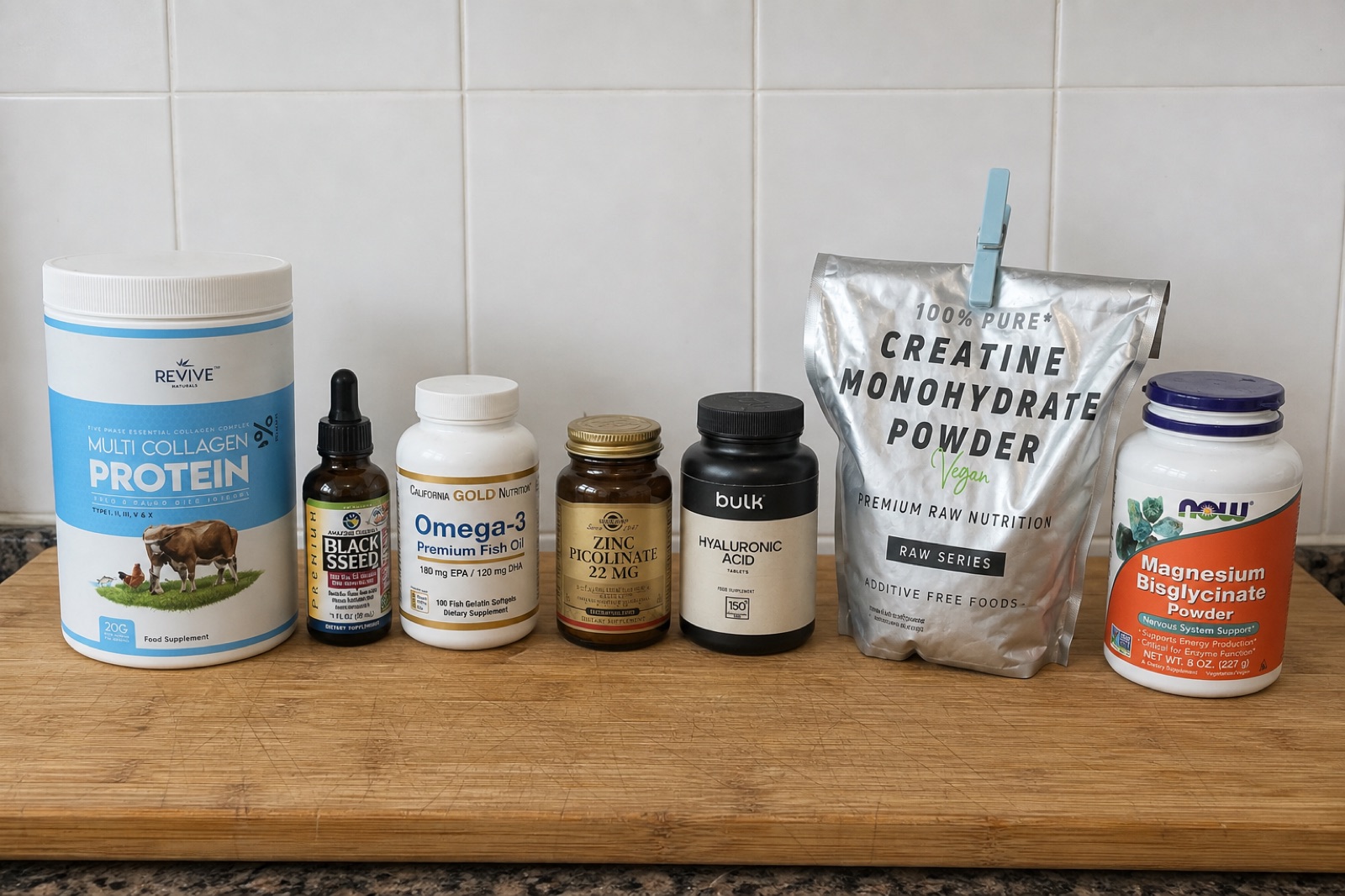 Your kitchen
In Stacky
7 bottles from your shelf, names first. Point at a back label for its amount, or don’t.


